
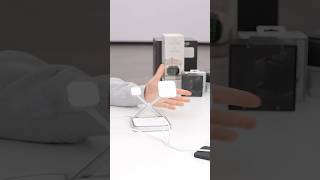
Turn your AirPods into a camera remote for iPhone. #Shorts
233 875
13.2
Apple20.6 млн
Следующее
 74 дня – 292 8170:35
Популярные
 141 день – 113 4290:10
 317 дней – 1 260 0730:16
Опубликовано 6 февраля 2026, 17:38
@hackphonex demonstrates how to turn your AirPods into a camera remote for your iPhone. Here’s how it’s done ⬇️
• In Settings, open your AirPods options toward the top of the list
• Scroll down and tap Camera Remote, then tap Press Once
• Next, open the Camera App
• Now, with your AirPods in your ears, simply tap the stem to take a picture
AirPods 4, AirPods Pro 2, or AirPods Pro 3 required.
Created by @hackphonex. Shared by Apple.
Music: "Magnetic" - Jam City
#AppleMagic #iOS26 #iPhone17 #AirPods #ShotoniPhone
• In Settings, open your AirPods options toward the top of the list
• Scroll down and tap Camera Remote, then tap Press Once
• Next, open the Camera App
• Now, with your AirPods in your ears, simply tap the stem to take a picture
AirPods 4, AirPods Pro 2, or AirPods Pro 3 required.
Created by @hackphonex. Shared by Apple.
Music: "Magnetic" - Jam City
#AppleMagic #iOS26 #iPhone17 #AirPods #ShotoniPhone
Свежие видео

 1 день – 1 6970:11

 2 дня – 2361:01:03
 2 дня – 446 2521:35
 4 дня – 1492:07
 5 дней – 11 6891:11
Случайные видео

 220 дней – 2 8400:31
 239 дней – 26 3581:08
 13.01.25 – 3 6161:10
 14.06.24 – 68 2990:58
 10.04.24 – 6 4001:44
 18.07.07 – 10 2521:42
 2 дня – 15 14924:48
 2 дня – 255 55613:01
 2 дня – 3450:18
 3 дня – 421 3731:34
 3 дня – 1899:29
 9 дней – 43 05212:50
 9 дней – 3 5860:11
 13 часов – 241:07