Build Secure, Reproducible Edge AI Images with OS Image Composer (Azure Linux Demo) | Intel Software
118
Intel Software254 тыс
Предыдущее

Популярные
 8 дней – 713:25
 135 дней – 5112:25
Опубликовано 19 марта 2026, 20:36
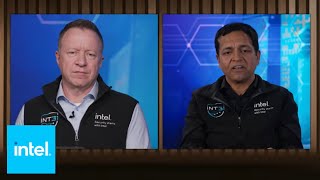
'In this demo, we show how Intel® OS Image Composer simplifies deploying AI applications at the edge by letting developers define, build, and validate a complete OS + AI stack using a single YAML file.
You’ll see how to:
- Create a bootable Azure Linux image optimized for edge AI workloads
- Enable immutable security using dm‑verity for tamper‑resistant deployments
- Package AI runtimes and applications directly into the OS image
- Boot the image and run an AI pipeline immediately, with no manual setup
This workflow replaces complex, error‑prone OS configuration with infrastructure‑as‑code, making edge AI deployments repeatable, auditable, and production‑ready—from evaluation to scale‑out.
In a nutshell
- Faster AI app bring‑up on edge hardware
- One declarative YAML instead of custom scripts
- Same workflow across Azure Linux, Ubuntu, EMT, and more
- Secure, immutable images suitable for production fleets
- Reduced “demo vs production” gap
Whether you’re evaluating AI frameworks, building edge prototypes, or preparing for production deployment, OS Image Composer helps you move from idea to running AI workload in minutes.
Key Topics:
0:46 Disk and System Configuration: The demo detailed the disk and system configuration, including setting the disk name to Minimal_RAW, defining partitions, and configuring the bootloader and packages. They also discussed enabling a mutable root file system and adding a user with pseudo privilege.
2:02 Image Build Workflow: The demo explained the process of running the image build workflow to generate the raw disk artifact and deploy the resulting image to the target environment, specifically the Intel Raptor Lake platform.
2:36 Edge AI Suites Repository: The demo discussed cloning the Edge AI Suites repository from GitHub, configuring the environment file, and setting up the PCB anomaly detection application. This included updating variables, running the setup script, and starting the Docker application.
3:38 PCB Anomaly Detection Pipeline: The demo explained the steps to start the PCB anomaly detection pipeline, including fetching the list of pipelines, confirming the user-defined pipeline version, and verifying the pipeline instance state and performance.
4:06 Vehicle and Pedestrian Analytics Demo: The demo presented a demo on vehicle and pedestrian analytics using Intel DL Streamer and GStreamer. They covered preparing the runtime environment, installing Open Vino development tools, downloading models, and running the detection, tracking, and visualization pipeline.
Resources
OS Image Composer (GitHub): github.com/open-edge-platform/...
Open Edge Platform Playlist: youtube.com/playlist?list=PLg-...
Subscribe for more edge AI, OS tooling, and deployment demos.
#EdgeAI #OSImageComposer #AzureLinux #OpenEdgePlatform #EdgeComputing #InfrastructureAsCode #AIatTheEdge
About Intel Software:
Intel® Developer Zone is committed to empowering and assisting software developers in creating applications for Intel hardware and software products. The Intel Software YouTube channel is an excellent resource for those seeking to enhance their knowledge. Our channel provides the latest news, helpful tips, and engaging product demos from Intel and our numerous industry partners. Our videos cover various topics; you can explore them further by following the links.
Connect with Intel Software:
INTEL SOFTWARE WEBSITE: intel.ly/2KeP1hD
INTEL SOFTWARE on FACEBOOK: bit.ly/2z8MPFF
INTEL SOFTWARE on TWITTER: bit.ly/2zahGSn
INTEL SOFTWARE GITHUB: bit.ly/2zaih6z
INTEL DEVELOPER ZONE LINKEDIN: bit.ly/2z979qs
INTEL DEVELOPER ZONE INSTAGRAM: bit.ly/2z9Xsby
INTEL GAME DEV TWITCH: bit.ly/2BkNshu
#intelsoftware
Build Secure, Reproducible Edge AI Images with OS Image Composer (Azure Linux Demo) | Intel Software
You’ll see how to:
- Create a bootable Azure Linux image optimized for edge AI workloads
- Enable immutable security using dm‑verity for tamper‑resistant deployments
- Package AI runtimes and applications directly into the OS image
- Boot the image and run an AI pipeline immediately, with no manual setup
This workflow replaces complex, error‑prone OS configuration with infrastructure‑as‑code, making edge AI deployments repeatable, auditable, and production‑ready—from evaluation to scale‑out.
In a nutshell
- Faster AI app bring‑up on edge hardware
- One declarative YAML instead of custom scripts
- Same workflow across Azure Linux, Ubuntu, EMT, and more
- Secure, immutable images suitable for production fleets
- Reduced “demo vs production” gap
Whether you’re evaluating AI frameworks, building edge prototypes, or preparing for production deployment, OS Image Composer helps you move from idea to running AI workload in minutes.
Key Topics:
0:46 Disk and System Configuration: The demo detailed the disk and system configuration, including setting the disk name to Minimal_RAW, defining partitions, and configuring the bootloader and packages. They also discussed enabling a mutable root file system and adding a user with pseudo privilege.
2:02 Image Build Workflow: The demo explained the process of running the image build workflow to generate the raw disk artifact and deploy the resulting image to the target environment, specifically the Intel Raptor Lake platform.
2:36 Edge AI Suites Repository: The demo discussed cloning the Edge AI Suites repository from GitHub, configuring the environment file, and setting up the PCB anomaly detection application. This included updating variables, running the setup script, and starting the Docker application.
3:38 PCB Anomaly Detection Pipeline: The demo explained the steps to start the PCB anomaly detection pipeline, including fetching the list of pipelines, confirming the user-defined pipeline version, and verifying the pipeline instance state and performance.
4:06 Vehicle and Pedestrian Analytics Demo: The demo presented a demo on vehicle and pedestrian analytics using Intel DL Streamer and GStreamer. They covered preparing the runtime environment, installing Open Vino development tools, downloading models, and running the detection, tracking, and visualization pipeline.
Resources
OS Image Composer (GitHub): github.com/open-edge-platform/...
Open Edge Platform Playlist: youtube.com/playlist?list=PLg-...
Subscribe for more edge AI, OS tooling, and deployment demos.
#EdgeAI #OSImageComposer #AzureLinux #OpenEdgePlatform #EdgeComputing #InfrastructureAsCode #AIatTheEdge
About Intel Software:
Intel® Developer Zone is committed to empowering and assisting software developers in creating applications for Intel hardware and software products. The Intel Software YouTube channel is an excellent resource for those seeking to enhance their knowledge. Our channel provides the latest news, helpful tips, and engaging product demos from Intel and our numerous industry partners. Our videos cover various topics; you can explore them further by following the links.
Connect with Intel Software:
INTEL SOFTWARE WEBSITE: intel.ly/2KeP1hD
INTEL SOFTWARE on FACEBOOK: bit.ly/2z8MPFF
INTEL SOFTWARE on TWITTER: bit.ly/2zahGSn
INTEL SOFTWARE GITHUB: bit.ly/2zaih6z
INTEL DEVELOPER ZONE LINKEDIN: bit.ly/2z979qs
INTEL DEVELOPER ZONE INSTAGRAM: bit.ly/2z9Xsby
INTEL GAME DEV TWITCH: bit.ly/2BkNshu
#intelsoftware
Build Secure, Reproducible Edge AI Images with OS Image Composer (Azure Linux Demo) | Intel Software
Свежие видео




 8 дней – 22 9230:32
 9 дней – 3 0010:38
 9 дней – 23 5492:38
Случайные видео

 180 дней – 163 64328:46
 365 дней – 89 18816:55
 02.12.24 – 227 37412:25
 24.07.24 – 65 0761:27
 18.01.23 – 28 6101:01
 22.02.09 – 16 7942:17
 22 часа – 7 7000:59
 1 день – 13 7096:03
 7 дней – 48 9947:25


 9 дней – 23915:38
 9 дней – 1 4604:03
 10 дней – 250 93014:38
 1 день – 13 3261:04