
Turn Your Android Phone into a High-Quality Webcam - DIY in 5 Ep 242
4 402
7.5
Kingston Technology385 тыс
Следующее
 23.02.25 – 7 5752:30
Популярные
 3 дня – 2 5852:52
Опубликовано 9 февраля 2025, 16:32
This video is about making use of your Android phone as a webcam. It’s a simple process with just two steps. The Android 14 and newer models allow you to use your phone camera as a high-quality webcam, which can be handy in multiple situations. The Android 15 features a HQ mode to kick video quality up to a smooth 1080p at 30fps.
How it works
Plug your phone into your PC using a USB cable, and choose Webcam when the notification pops up for the USB contact. It’s that simple. You can tap the Device as Webcam notification that comes up to see what the cam is capturing in real-time. If you have Android 15, you can enable HQ mode by toggling the option in the viewfinder, to improve the quality of your video. However, this will consume more battery and can cause your phone to heat up, so beware of that for longer webcam sessions.
Other settings
To improve your phone’s webcam performance, try putting it in a stand of some sort to stabilize it. You can also tweak settings like autofocus, smooth zooming, and depending on bandwidth, resolution size. A USB-C to USB-C cable will improve bandwidth.
What do you think Google will add next for this feature? An audio capture option, maybe? Share your guesses in the comments below.
Got questions about the video or Kingston products? COMMENT or contact us on SOCIAL MEDIA:
Twitter: twitter.com/kingstontech
Instagram: instagram.com/kingstontechnolo...
Facebook: facebook.com/kingstontechnolog...
LinkedIn: linkedin.com/company/kingston
SUBSCRIBE for more DIY in 5 videos, and receive updates on the latest in Kingston’s memory & storage development, plus guides on getting peak performance from your hardware:
youtube.com/channel/UCLlmpSSdR...
Timecodes:
0:00 Intro
0:47 How it works
1:23 Other settings
How it works
Plug your phone into your PC using a USB cable, and choose Webcam when the notification pops up for the USB contact. It’s that simple. You can tap the Device as Webcam notification that comes up to see what the cam is capturing in real-time. If you have Android 15, you can enable HQ mode by toggling the option in the viewfinder, to improve the quality of your video. However, this will consume more battery and can cause your phone to heat up, so beware of that for longer webcam sessions.
Other settings
To improve your phone’s webcam performance, try putting it in a stand of some sort to stabilize it. You can also tweak settings like autofocus, smooth zooming, and depending on bandwidth, resolution size. A USB-C to USB-C cable will improve bandwidth.
What do you think Google will add next for this feature? An audio capture option, maybe? Share your guesses in the comments below.
Got questions about the video or Kingston products? COMMENT or contact us on SOCIAL MEDIA:
Twitter: twitter.com/kingstontech
Instagram: instagram.com/kingstontechnolo...
Facebook: facebook.com/kingstontechnolog...
LinkedIn: linkedin.com/company/kingston
SUBSCRIBE for more DIY in 5 videos, and receive updates on the latest in Kingston’s memory & storage development, plus guides on getting peak performance from your hardware:
youtube.com/channel/UCLlmpSSdR...
Timecodes:
0:00 Intro
0:47 How it works
1:23 Other settings
Свежие видео

 20 часов – 00:15
 5 дней – 100:15
 7 дней – 45 11411:43
 7 дней – 2 9821:15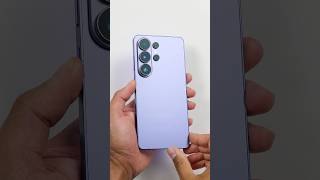
 13 дней – 140 6900:50
 13 дней – 179 77710:13
Случайные видео

 236 дней – 4 9560:16
 294 дня – 7 2361:10:04
 359 дней – 1300:28
 363 дня – 1 4367:35
 05.03.25 – 163 3510:51
 27.05.15 – 1 658 8946:36
 1 час – 7430:33
 1 день – 1 3090:43


 1 день – 1051:09
 5 дней – 10 7030:41
 6 дней – 2240:16
 9 дней – 28 3913:23
 4 часа – 2 6360:42
 19 часов – 3051:48